> ## Documentation Index
> Fetch the complete documentation index at: https://docs.ascend.market/llms.txt
> Use this file to discover all available pages before exploring further.
# Orderbook DEX
> Step-by-step guide to swapping tokens with Ascend DEX using the 1AM wallet on the Midnight Mainnet network
Ascend DEX is live on Midnight Mainnet. Please report any issues in our [Discord](https://discord.gg/3mHY4RGWyh).
## Overview
Ascend DEX runs on the Midnight Mainnet network. Before you can trade, you'll need the **1AM wallet** browser extension, **NIGHT** tokens for fees, and **DUST** for privacy-enabled transactions. This guide walks through the full Mainnet flow end-to-end.
Add the 1AM wallet to your browser from the Chrome Web Store:
[Install 1AM Wallet](https://chromewebstore.google.com/detail/1am/bphnkdkcnfhompoegfpgnkidcjfbojjp)
The wallet is currently optimized for browser-based access, with mobile applications planned for future release.
During setup you can:
* Generate a new wallet locally on your device.
* Import an existing recovery phrase or private key.
The wallet is fully self-custodial, so recovery phrases and private keys remain under your control at all times.
Securely store your recovery phrase. Since 1AM is a self-custodial hot wallet, losing the recovery phrase will result in permanent loss of access to wallet funds and assets.
After setup, the wallet connects you to Midnight's privacy-enabled blockchain ecosystem. 1AM is designed specifically for Midnight's dual-state architecture, supporting:
* Public (unshielded) balances
* Private (shielded) balances
After creating or importing a wallet, verify that the wallet is connected to the **Mainnet** network. The currently active network is displayed at the top of the 1AM wallet interface.
* Open the network selector at the top of the wallet.
* Confirm that **Mainnet** is selected.
* If another network is active, switch back to **Mainnet**.
Once Mainnet is selected, the wallet will automatically synchronize with the live Midnight blockchain network. During synchronization:
* Wallet balances are updated.
* Shielded and unshielded states are refreshed.
* Network data is synced with the latest Mainnet state.
Wait until synchronization is complete before proceeding.
DUST is required for privacy-enabled transactions and shielded operations on Midnight.
To generate DUST:
* Open the 1AM wallet dashboard.
* Navigate to the **DUST** section.
* Select **Generate Dust**.
* Complete the generation process.
After DUST generation is complete, the wallet is ready for Mainnet transactions and privacy-enabled interactions.
Once your 1AM wallet is synced on Mainnet and funded with NIGHT and DUST, you can connect it to Ascend DEX:
[dex.ascend.market](https://dex.ascend.market/)
Open Ascend DEX in a browser where the 1AM wallet extension is installed and unlocked.
* Click **Connect Wallet**.
* Select **1AM Wallet**.
* Approve the connection request in the wallet extension.
Once connected, your wallet address will appear on Ascend DEX and balances will begin syncing automatically.
After connecting, confirm that:
* Your **NIGHT** balance is visible.
* **DUST** is available.
* The wallet is connected to the **Mainnet** network.
If balances do not appear immediately, allow a few moments for synchronization to complete.
After confirming that your wallet balances are visible and fully synced, you can begin trading on Ascend DEX.
**Enter Trade Details**
In the swap interface:
* Select the asset you want to swap.
* Enter the amount you would like to trade.
* Review the estimated output and transaction details.
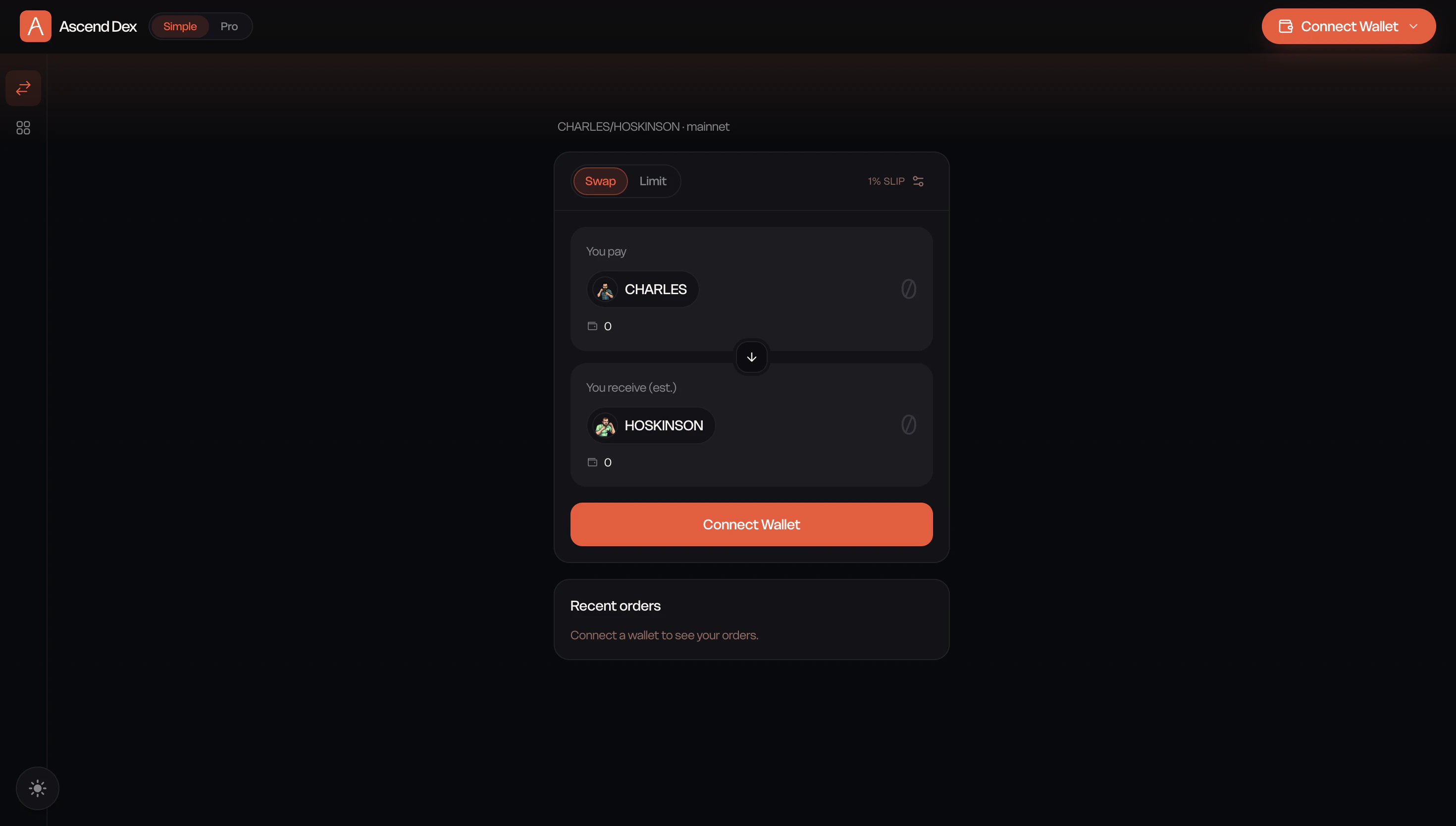 For advanced order types and the full orderbook view, switch to the Pro interface.
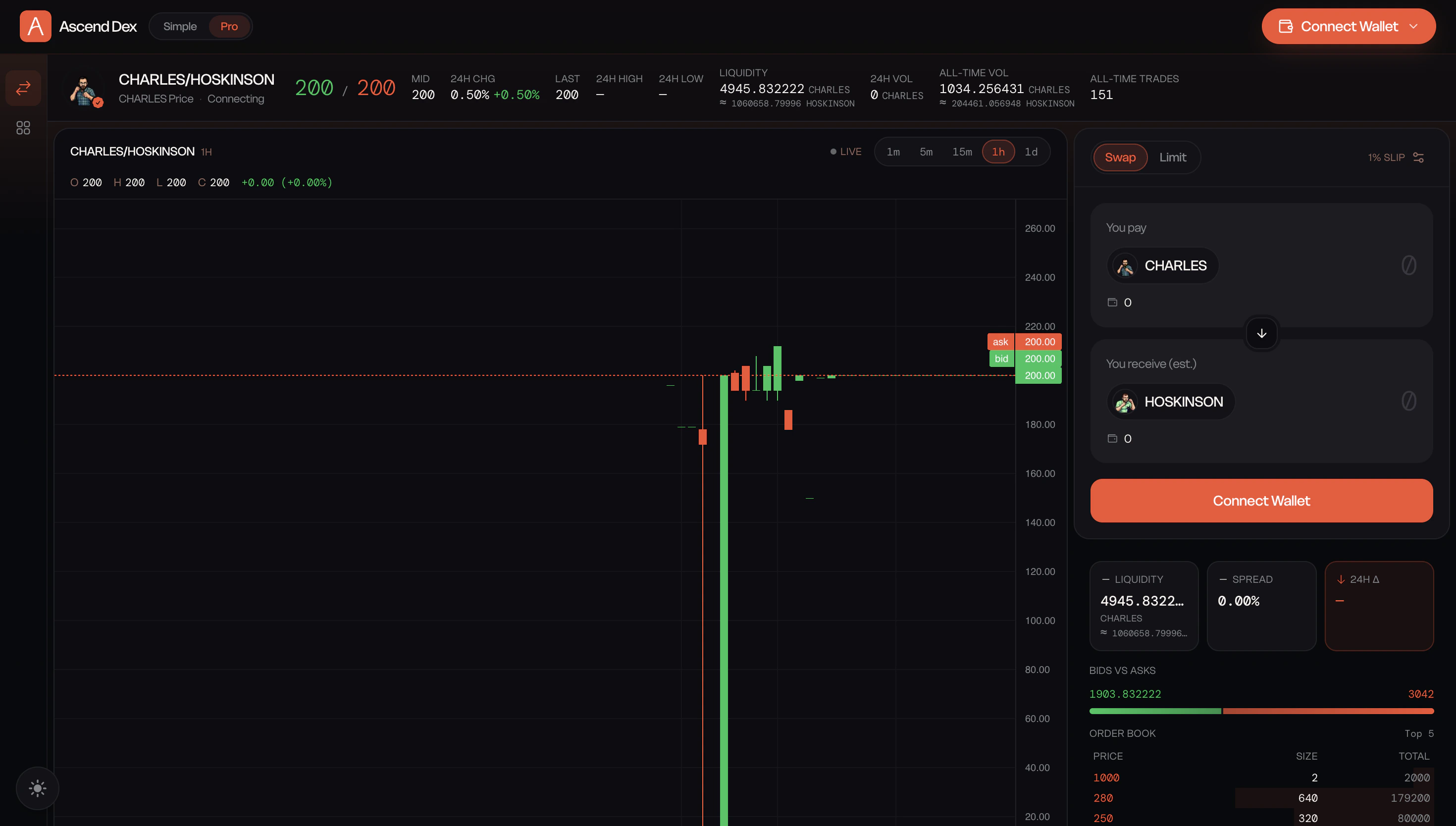 **Build the Transaction**
Once your trade details are entered, click **Build Transaction**. Ascend DEX will prepare the transaction and generate the required transaction data for execution.
**Review and Submit the Swap**
After the transaction has been successfully built:
* Click **Swap**.
* The 1AM wallet will open automatically.
* Review the transaction details carefully.
* Approve the transaction in your wallet.
The transaction will be submitted to the Midnight Mainnet for processing. Because Midnight uses privacy-preserving transaction infrastructure, confirmation times may vary slightly compared to traditional public blockchain transactions.
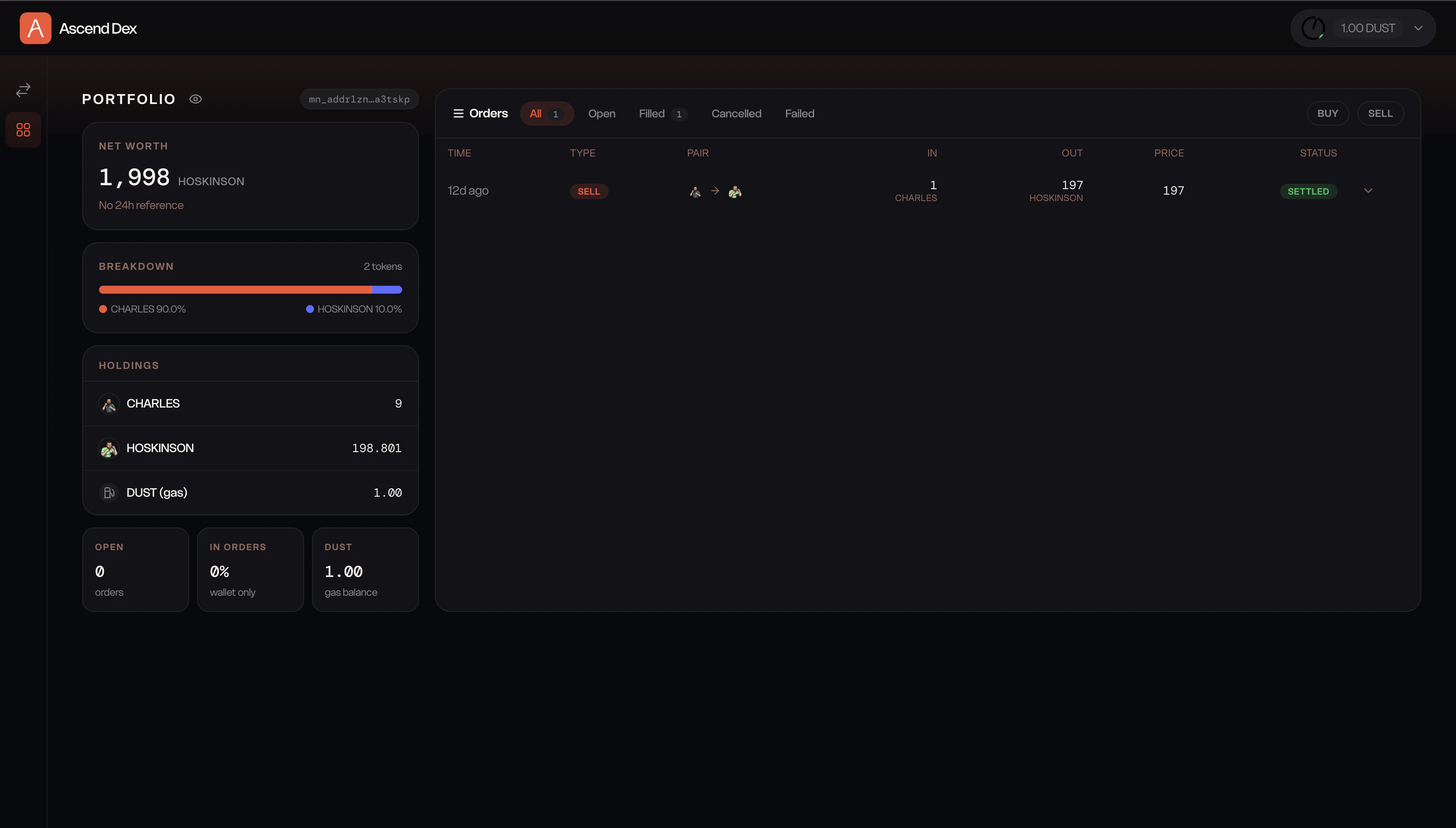
Once the transaction is confirmed, updated balances will appear in both your 1AM wallet and the Ascend DEX dashboard. You can review your past trades in the order history view.
**Build the Transaction**
Once your trade details are entered, click **Build Transaction**. Ascend DEX will prepare the transaction and generate the required transaction data for execution.
**Review and Submit the Swap**
After the transaction has been successfully built:
* Click **Swap**.
* The 1AM wallet will open automatically.
* Review the transaction details carefully.
* Approve the transaction in your wallet.
The transaction will be submitted to the Midnight Mainnet for processing. Because Midnight uses privacy-preserving transaction infrastructure, confirmation times may vary slightly compared to traditional public blockchain transactions.
Once the transaction is confirmed, updated balances will appear in both your 1AM wallet and the Ascend DEX dashboard. You can review your past trades in the order history view.
 ## You're Ready to Trade
After completing the above steps, you can:
* Swap assets on Ascend DEX.
* Manage public and shielded balances.
* Generate and use DUST for privacy-enabled operations.
* Participate in the Midnight Mainnet ecosystem using real assets and real liquidity.
## You're Ready to Trade
After completing the above steps, you can:
* Swap assets on Ascend DEX.
* Manage public and shielded balances.
* Generate and use DUST for privacy-enabled operations.
* Participate in the Midnight Mainnet ecosystem using real assets and real liquidity.